

Angular 的 Pipe(管道)把資料當作輸入,轉換成模板要顯示的輸出格式,例如日期、貨幣、大小寫。這篇文章整理 Angular 內建的所有 Pipes、基本用法、參數傳遞與串接方式,並示範如何自訂一個 Pipe,以及 pure 與 impure pipes 的效能差異。
Angular 內建有哪些 Pipes?
常用的 Pipes 有 DatePipe、UpperCasePipe、LowerCasePipe、CurrencyPipe 和 PercentPipe,它們都可用於任何模板。
下面是 Angular 內建所有的 Pipes 說明:
| Pipe | 說明 |
|---|---|
| AsyncPipe | 給 Observable 或 Promise 返回已發出的最新值 |
| CurrencyPipe | 格式化數字為錢幣格式 |
| DatePipe | 格式化一串日期文字 |
| DecimalPipe | 格式化小數點 |
| DeprecatedCurrencyPipe | Use currency to format a number as currency |
| DeprecatedDatePipe | 已棄用的舊版日期管道 |
| DeprecatedDecimalPipe | 已棄用的舊版數字管道 |
| DeprecatedPercentPipe | 已棄用的舊版百分比管道 |
| I18nPluralPipe | Maps a value to a string that pluralizes the value according to locale rules |
| I18nSelectPipe | Generic selector that displays the string that matches the current value |
| JsonPipe | Converts value into JSON string |
| LowerCasePipe | 轉文字為小寫 |
| PercentPipe | 轉為百分比 |
| SlicePipe | Creates a new List or String containing a subset (slice) of the elements |
| TitleCasePipe | Transforms text to titlecase |
| UpperCasePipe | 轉文字為大寫 |
如何使用 Pipes?
管道將數據作為輸入並將其轉換為所需的輸出,語法是在模板中用 | 把值交給管道。下面是使用 DatePipe 的範例:
import { Component } from '@angular/core';

@Component({
  selector: 'app-hero-birthday',
  template: `<p>The hero's birthday is {{ birthday | date }}</p>`
})
export class HeroBirthdayComponent {
  birthday = new Date(1988, 4, 15); // April 15, 1988
}
在 Pipes 裡使用參數
管道可以用冒號(:)傳入參數,例如 DatePipe 的日期格式字串:
<p>The hero's birthday is {{ birthday | date:"MM/dd/yy" }} </p>
<p>The hero's birthday is {{ birthday | date:"shortDate" }} </p>
<p>The hero's birthday is {{ birthday | date:"fullDate" }} </p>
這樣會顯示結果如下:
MM/dd/yy:04/15/88shortDate:04/15/1988fullDate:Friday, April 15, 1988
如何串接多個管道?
管道可以用多個 | 串接,前一個管道的輸出會變成下一個管道的輸入:
{{ birthday | date:'fullDate' | uppercase}}
結果會顯示:
FRIDAY, APRIL 15, 1988
如何定義自己的 Pipes?
下面是一個自製 Pipe 的例子:
import { Pipe, PipeTransform } from '@angular/core';
/*
 * Raise the value exponentially
 * Takes an exponent argument that defaults to 1.
 * Usage:
 *   value | exponentialStrength:exponent
 * Example:
 *   {{ 2 | exponentialStrength:10 }}
 *   formats to: 1024
*/
@Pipe({name: 'exponentialStrength'})
export class ExponentialStrengthPipe implements PipeTransform {
  transform(value: number, exponent: string): number {
    let exp = parseFloat(exponent);
    return Math.pow(value, isNaN(exp) ? 1 : exp);
  }
}
在上面的例子中可以看到:
- 會以
@Pipe({name:'XXXX'})來宣告這個 class 是一個 pipe - pipe 類別需 implements
PipeTransform介面並依照要 input 的值來選擇要實作的transform方法 transform有一個可選參數exponent,可讓使用者帶要帶入的參數進 Pipes- Pipe 的名字需要是一個合法的 Javascript 命名
下面是一個使用範例:
import { Component } from '@angular/core';

@Component({
  selector: 'app-power-booster',
  template: `
    <h2>Power Booster</h2>
    <p>Super power boost: {{2 | exponentialStrength: 10}}</p>
  `
})
export class PowerBoosterComponent { }
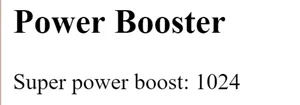
顯示的結果如下:
Pure 與 Impure Pipes 的差異?
在每次被綁定的值更動時,都會再跑一次 Pipes 的功能。一般來說,Pipe 只會偵測值的變化才會執行 pure pipes,如對象是 String、Number、Boolean、Symbol、Date、Array、Function、Object。但如果裡面是一個物件,則 pure pipes 會忽略它的更動。
這是因為效能的考量:若為純粹物件的值的更動,在偵測上較快,但是在物件上屬性的更改的偵測效能會較差,會建議改使用元件的方式去偵測改變。
但 Angular 還是提供了 impure pipes 的方式可以偵測物件的改變,只是使用上要小心不能因此而拖慢系統速度。它看起來會像這樣:
@Pipe({
  name: 'flyingHeroesImpure',
  pure: false
})
export class FlyingHeroesImpurePipe extends FlyingHeroesPipe {}
常見問題
什麼是 Angular 的 Pipe?
Pipe(管道)是一個把輸入值轉換成輸出格式的類別,在模板中用 | 符號使用,例如 {{ birthday | date }} 會把日期物件格式化成文字。它讓格式化的邏輯不用寫在元件裡,模板可讀性更好。
如何在 Pipe 中傳入多個參數?
用冒號串接多個參數即可,例如 {{ value | myPipe:arg1:arg2 }}。這些參數會依序傳入 transform(value, arg1, arg2) 方法,DatePipe 的 date:"MM/dd/yy" 就是一個參數的例子。
為什麼 pure pipe 不會偵測到物件屬性的變化?
Pure pipe 只在輸入值的參考改變時才重新執行,修改物件內部屬性不會改變參考,所以 pipe 不會跑。解法是建立新的物件參考、改用元件偵測變化,或改用 impure pipe(pure: false),但要注意效能。
什麼時候該用 impure pipe?
只有在確實需要 pipe 對物件內部變化做出反應、且效能影響可控時才用。Impure pipe 在每一次變更偵測週期都可能執行,用得不好會明顯拖慢系統速度,官方一般建議以元件方式處理。
參考資料
延伸閱讀
- TypeScript 設定全攻略:看懂 tsconfig.json 的核心編譯選項:同樣聚焦 typescript、angular,可接著比較不同情境的做法。
- Angular 架構總覽:Component、Template、Metadata、NgModule、Directive 與 Dependency Injection 入門:同樣聚焦 angular、typescript,可接著比較不同情境的做法。
- Angular 元件建立教學:用 CLI 產生元件、綁定資料與雙向繫結:同樣聚焦 angular、前端開發,可接著比較不同情境的做法。
最後更新
2026-08-28(原文發布於 2018-01-03,本文保留原始筆記內容並補上 GEO 結構。)
關於作者
Claire Chang | 企業 AI 導入與流程轉型顧問。專注於 AI Agent 架構設計、ERP 系統整合與企業 AI 治理。
首次發布:2018-01-03