
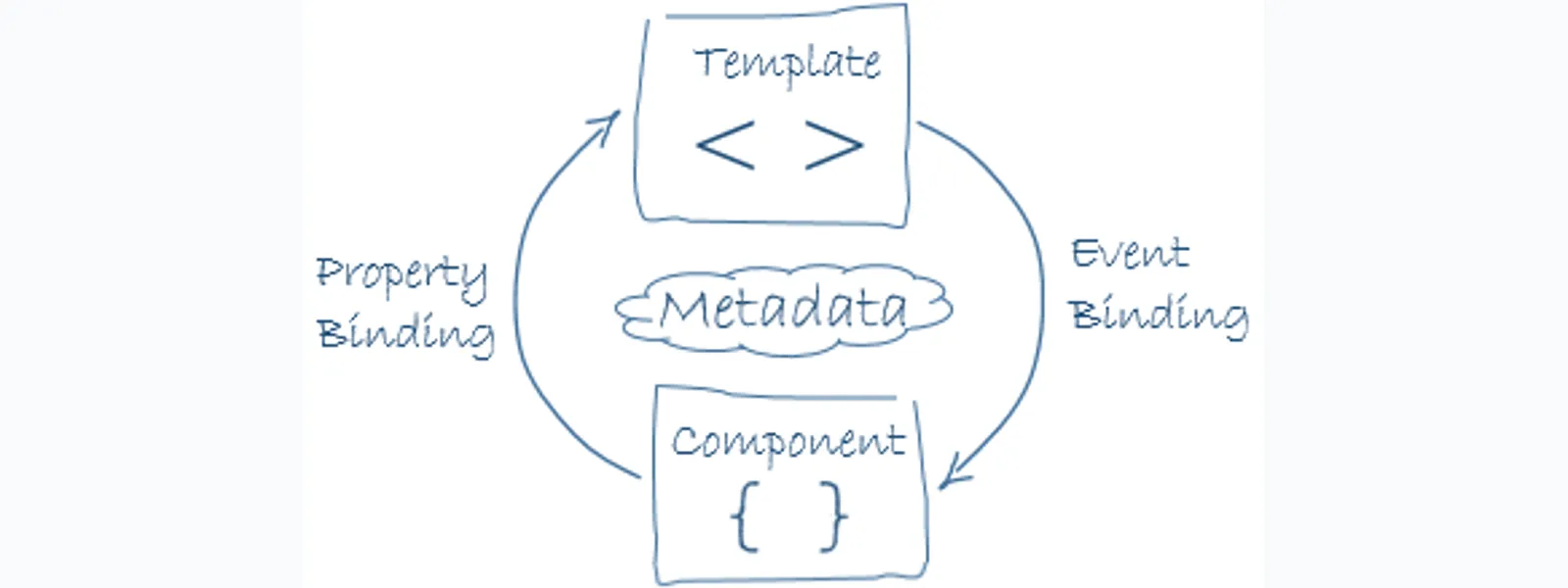
Angular Structural Directives 是用來改變 DOM 結構的 directive,常見範例包含 `ngIf`、`ngFor` 與 `ngSwitch`。結構指令不是單純改變元素樣式,而是透過 `ng-template` 建立、移除或重複渲染一段 template,因此會直接影響畫面上是否真的存在某些 DOM 節點。
Angular Structural Directives 是什麼?
Angular Structural Directives 負責 HTML 佈局,會透過添加、刪除或操縱元素來塑造 DOM 結構。結構指令最常見的辨識方式,是 directive 屬性名稱前面會有星號 `*`。
以下是三種常見的結構指令範例:
```html
- {{ hero.name }}
```
Attribute directive 會改變元素的外觀或行為,例如內建的 `NgStyle` 可以同時改變多個元素樣式。Structural directive 則會自動把裡面的內容儲存成一個 `ng-template`,再由 directive 操縱這段 template,這也是為什麼結構指令前面會有星號 `*`。
星號語法和 ng-template 有什麼關係?
Angular 的星號語法是 structural directive 的 shorthand。Angular 會把 `*ngIf` 這類寫法轉成包在 `ng-template` 上的屬性綁定,並把原本元素移進 template 裡。
例如這段:
```html
```
其實等同於:
```html
```
可以觀察到兩件事:
- `` 號會把 `ngIf` 改成 `ng-template` 上的屬性綁定,也就是從 `ngIf` 展開成 `<ng-template [ngIf]>`。
- 原本的 `<div>`,包含它的 class 屬性與內容,會移到 `<ng-template>` 元素之下。
同一個 host element 可以放很多 attribute directive,但同一個 host element 只能放一個 structural directive。原因是星號語法只能展開成一層 `ng-template`,如果同一個元素同時有兩個結構指令,Angular 無法判斷哪一層 template 應該在外面。
ng-template 會怎麼影響 DOM?
`ng-template` 是 Angular 結構指令的基礎。`ng-template` 內容不會一開始就顯示在畫面上,而是由 directive 決定何時把 template 內容建立成 DOM。
因此,`ngIf` 隱藏掉的物件,和用 CSS 做 show/hide 意義完全不同。`ngIf` 條件不成立時,元素已經不在 DOM 上,程式也無法像操作一般元素那樣操作它。
資料量大的頁面裡,Angular 有足夠理由使用這種做法。若只是用 CSS 隱藏元素,所有監聽器與物件依舊可能在背景執行,DOM 數量太多時會拖累效能。若需要在顯示或移除元素時執行特殊邏輯,可以搭配 Angular Lifecycle Hooks 設計元件初始化與銷毀流程。
如何在同一段畫面套用多個 Structural Directives?
同一個 host element 只能有一個 structural directive。需要組合 `ngIf` 與 `ngFor` 時,可以用多層元素或 `ng-container` 明確表示 template 的巢狀順序。
一般狀況下,可以用多一層 HTML 標籤來拆開控制:
```html
```
但有些場景不允許多餘標籤,例如 `<select>` 裡面應該直接放 `<option>`。假設區域選單的 `<option>` 要由 `*ngFor` 產生,但當 `city` 未選擇時又希望不要顯示任何選項,直覺上會想在 `<option>` 上同時放多個結構指令,Angular 卻不允許這樣寫。
如果用 `<span>` 包住 `<option>`,因為 `<select>` 內不允許 `<span>`,下拉選單會讀不到 `<option>`:
```html
Pick your favorite hero
(<label><input type="checkbox" checked (change)="showSad = !showSad">show sad</label>)
```

ng-container 適合解決什麼問題?
`ng-container` 可以建立 template 層次,但不會在 DOM 裡產生額外元素。當畫面需要多個結構指令,又不能加入多餘標籤時,`ng-container` 是最乾淨的包裝方式。
把剛才的 `<select>` 改成 `ng-container`:
```html
```
這樣就可以正常顯示下拉選單。

這個例子也是我判斷要不要使用 `ng-container` 的簡單規則:如果只是為了讓 Angular template 有巢狀結構,而不是為了真的增加一個 HTML 節點,就用 `ng-container`。
如何自製一個 Structural Directive?
自製 structural directive 的核心是注入 `TemplateRef` 與 `ViewContainerRef`。`TemplateRef` 代表被包住的 template,`ViewContainerRef` 則負責在指定位置建立或清除這段 template。
以下範例建立一個 `appUnless` directive:當條件為 false 時顯示內容,當條件為 true 時清除內容。
```ts
import { Directive, Input, TemplateRef, ViewContainerRef } from '@angular/core';
/
- Add the template content to the DOM unless the condition is true.
*/
@Directive({ selector: '[appUnless]' })
export class UnlessDirective {
private hasView = false;
constructor(
private templateRef: TemplateRef<any>,
private viewContainer: ViewContainerRef
) {}
@Input() set appUnless(condition: boolean) {
if (!condition && !this.hasView) {
this.viewContainer.createEmbeddedView(this.templateRef);
this.hasView = true;
} else if (condition && this.hasView) {
this.viewContainer.clear();
this.hasView = false;
}
}
}
```
最重要的地方是在 `@Input()` 那段,因為 setter 會依照 `condition` 決定要呼叫 `createEmbeddedView()` 還是 `clear()`。使用方式如下:
```html
(A) This paragraph is displayed because the condition is false.
```
Angular Structural Directives 實作時要注意什麼?
Angular Structural Directives 會改變 DOM 是否存在,不只是切換 CSS 顯示狀態。實作時要先確認需求是「不渲染」還是「暫時隱藏」,再決定使用 `*ngIf`、CSS 或自製 directive。
實作時可以用這張表快速判斷:
| 需求 | 建議做法 | 原因 |
|---|---|---|
| 條件不成立時完全不要建立元素 | `*ngIf` | 元素不在 DOM 中,能減少不必要的節點與監聽器 |
| 根據陣列產生多個元素 | `*ngFor` | 讓 Angular 管理重複 template 的建立 |
| 在同一段畫面組合多個結構指令 | `ng-container` | 建立 template 層次,但不產生多餘 DOM 節點 |
| 只是暫時看不見但仍要保留狀態 | CSS show/hide | 元素仍在 DOM 中,狀態與事件綁定可以保留 |
| 需要重複使用某種顯示條件 | 自製 structural directive | 用 `TemplateRef` 與 `ViewContainerRef` 封裝顯示邏輯 |
如果只是想學 Angular 5 時期的模板語法,`ngIf`、`ngFor`、`ngSwitch` 仍然是很好的入口。若使用新版 Angular,也可以再比較內建 control flow blocks,例如 `@if`、`@for` 與 `@switch`,但理解 structural directive 仍有助於讀懂既有專案與自製 directive。
延伸閱讀
- Angular NgModule 完整解析:模組結構、依賴注入與 forRoot 用法
- Angular Template-Driven Forms 教學:ngModel、驗證與自訂 Validator
- Angular Router 基礎教學:Routes、RouterLink、RouterOutlet 與路由事件
- Angular HttpClient 教學:GET、POST、Header、Params 與錯誤處理
常見問題
Angular Structural Directives 和 Attribute Directives 差在哪?
Angular Structural Directives 會改變 DOM 結構,例如建立、移除或重複渲染元素。Attribute Directives 主要改變既有元素的外觀或行為,例如套用樣式、監聽事件或改變屬性。
為什麼 Angular 結構指令前面要加星號?
星號是 Angular structural directive shorthand。Angular 會把 `*ngIf` 這種寫法展開成 `<ng-template [ngIf]>`,再把原本元素放進 template 裡。
同一個 HTML 元素可以同時放 `ngIf` 和 `ngFor` 嗎?
同一個 HTML 元素不能同時放兩個星號結構指令。需要同時套用條件與迴圈時,應該用外層元素或 `ng-container` 拆出明確的 template 層次。
`ng-template` 裡的內容為什麼沒有顯示?
`ng-template` 本身只是一段尚未渲染的 template。除非有 structural directive、`ngTemplateOutlet` 或程式呼叫 `ViewContainerRef.createEmbeddedView()`,否則內容不會出現在 DOM。
什麼時候該用 `ng-container`?
當 Angular template 需要一層包裝,但 HTML 結構不應該多出實際元素時,就適合使用 `ng-container`。常見例子是 `<select>`、表格、清單或需要同時組合 `ngIf` 與 `ngFor` 的地方。
自製 structural directive 一定要用 `TemplateRef` 和 `ViewContainerRef` 嗎?
自製 structural directive 通常需要 `TemplateRef` 讀取被包住的 template,並用 `ViewContainerRef` 控制 template 要不要被渲染。這也是 `appUnless` 這類 directive 能建立或清除畫面內容的核心。
參考資料
- Angular Docs:Structural directives
- Angular Docs:Create template fragments with ng-template
- Angular Docs:Grouping elements with ng-container
- Angular 範例:Structural directives live example
- Angular 範例:Structural directives download example
最後更新
2018-01-02。本篇保留 Angular 5 structural directives 學習筆記的範例內容,並補上 `ng-template`、`ng-container`、FAQ 與延伸閱讀結構。
關於作者 {#author}
Claire Chang | 企業 AI 導入與流程轉型顧問。專注於 AI Agent 架構設計、ERP 系統整合與企業 AI 治理。
首次發布:2018-01-02