

把 Claude Code 接上 GitHub Actions 後,只要在 Issue 或 PR 留言 `@claude`,Claude 就會自動讀程式碼、修正問題並提交 PR。這篇文章記錄我實際安裝與設定的完整步驟,包含 workflow 檔案範例與實際運作的 Issue 案例,讓你可以在十幾分鐘內把自己的 repo 變成「AI 自動處理 Issue」的工作流程。
Claude Code + GitHub Actions 能做什麼?
- 立即產生 PR、補 bug 或實作功能:只要在 issue 或 PR 留言 `@claude implement ...`,Claude 就會自動完成工作,並提交 PR。
- 自動代碼審查:PR 中問一句 `@claude review code level`,由 AI 幫忙分析與修正錯誤。
- 符合既有專案標準:Claude 會自動參考專案裡的 `CLAUDE.md` 內容,比照程式風格與工程規範。
- 簡易設定,立刻上手:可以透過 CLI `/install-github-app` 快速部署,也可手動安裝 workflow。
GitHub Actions 安裝步驟
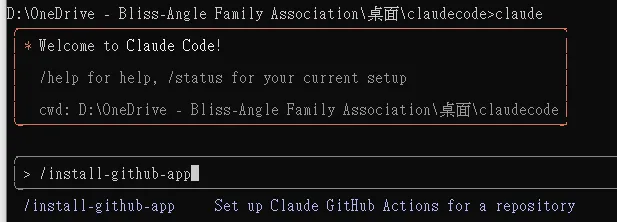
在終端機啟動 Claude Code 後執行安裝指令:
```bash
claude
/install-github-app
```
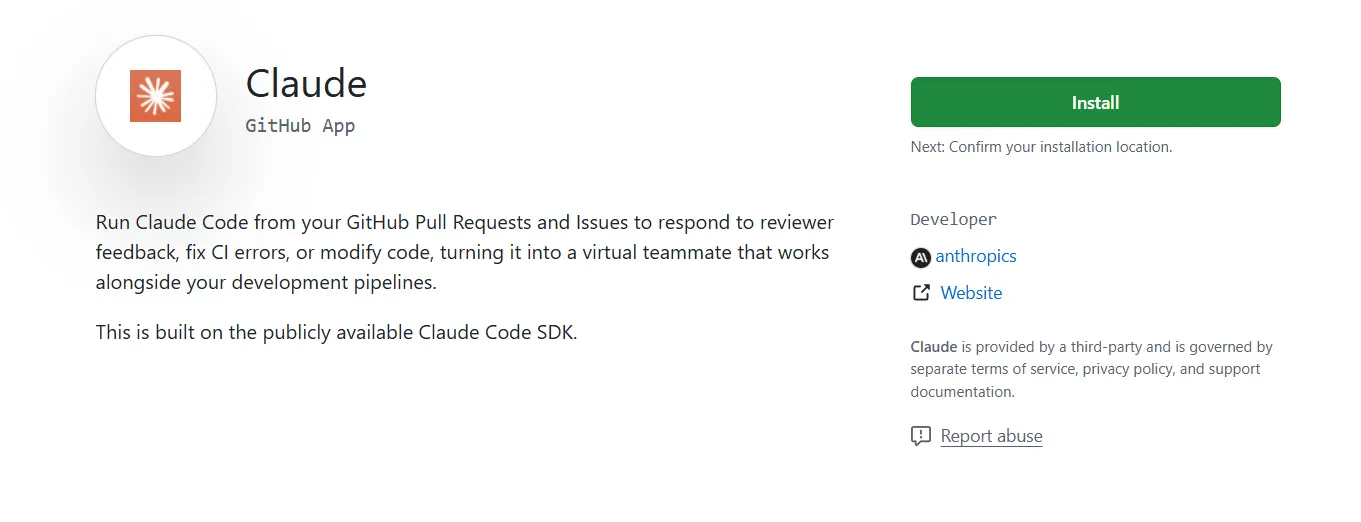
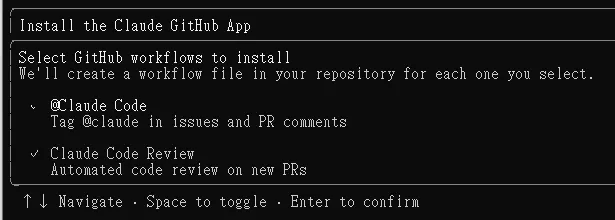
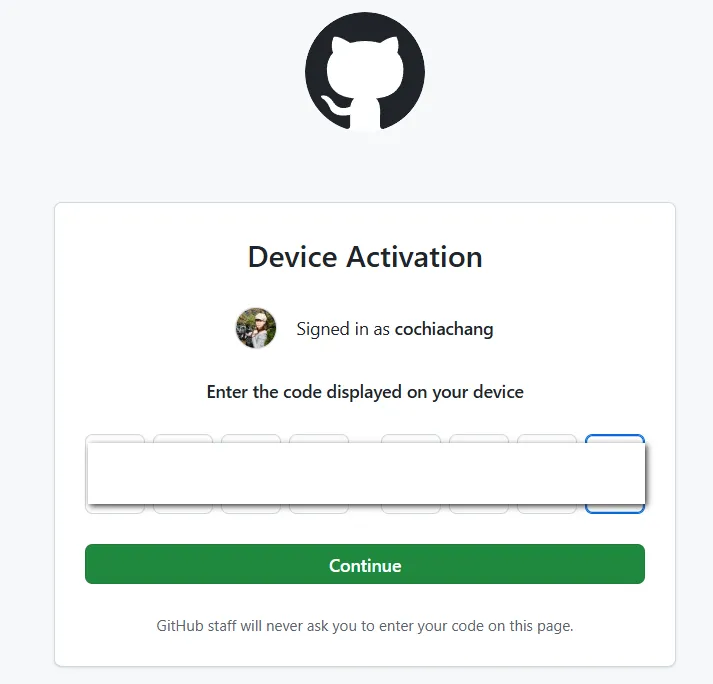
接著會引導你完成 GitHub App 的授權流程:
接著輸入要連接的 repository,這邊我選擇我的開源專案:
https://github.com/cochiachang/walkassure
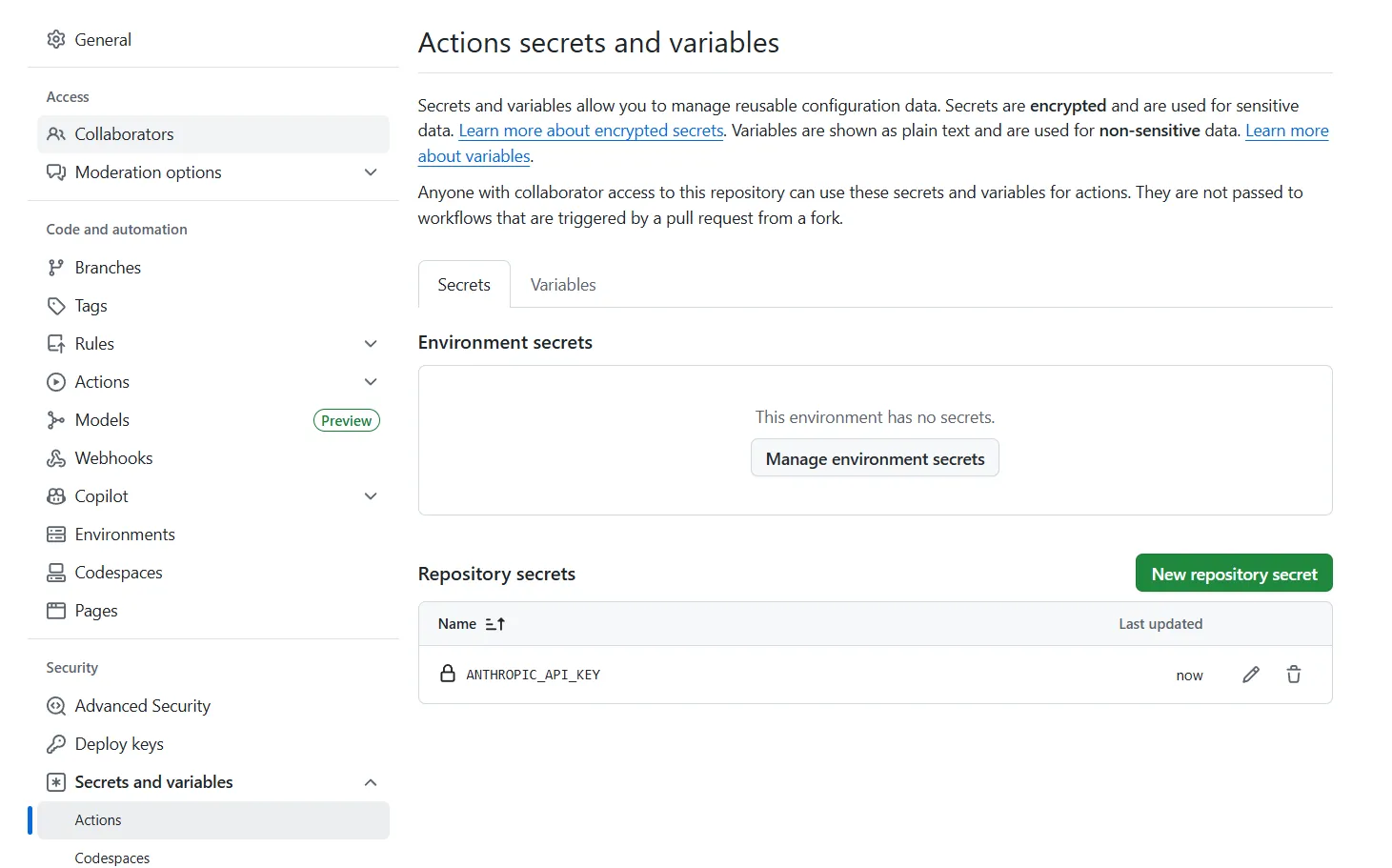
接著在 GitHub 設定 Claude 的 API Key:
如何設定 claude.yml workflow
在專案內增加 `.github/workflows/claude.yml`,完整的 workflow 檔案可以參考我的開源專案:
https://github.com/cochiachang/walkassure/tree/main/.github/workflows
workflow 的核心內容如下:
```yaml
name: Claude AI Workflow
on:
issues:
types: [opened, edited, labeled]
issue_comment:
types: [created]
jobs:
claude-analysis:
runs-on: ubuntu-latest
if: contains(github.event.issue.body, '@claude') || contains(github.event.comment.body, '@claude')
steps:
- name: Checkout code
uses: actions/checkout@v4
- name: Claude AI 回應
uses: anthropics/claude-code-action@beta
with:
anthropic_api_key: ${{ secrets.ANTHROPIC_API_KEY }}
- name: Claude AI 呼叫成功通知
if: always()
run: echo "✅ Claude 回應觸發成功!"
notify:
runs-on: ubuntu-latest
needs: [claude-analysis]
if: always()
steps:
- name: Send notification
run: |
echo "Workflow completed"
echo "Claude analysis status: ${{ needs.claude-analysis.result }}"
echo "Build and test status: ${{ needs.build-and-test.result }}"
```
這份 workflow 的重點:
| 區塊 | 作用 |
|---|---|
| `on: issues / issue_comment` | 當 Issue 被開啟、編輯、加標籤,或有人留言時觸發 |
| `if: contains(..., '@claude')` | 只有內容包含 `@claude` 才執行,避免每次都跑 |
| `claude-code-action@beta` | 官方 action,用 `ANTHROPIC_API_KEY` secret 呼叫 Claude |
| `notify` job | Workflow 結束後輸出執行狀態,方便除錯 |
實際範例:Issue 自動修正
我在 walkassure 專案開了一個測試 Issue,並在內容 mention `@claude`:
https://github.com/cochiachang/walkassure/issues/1
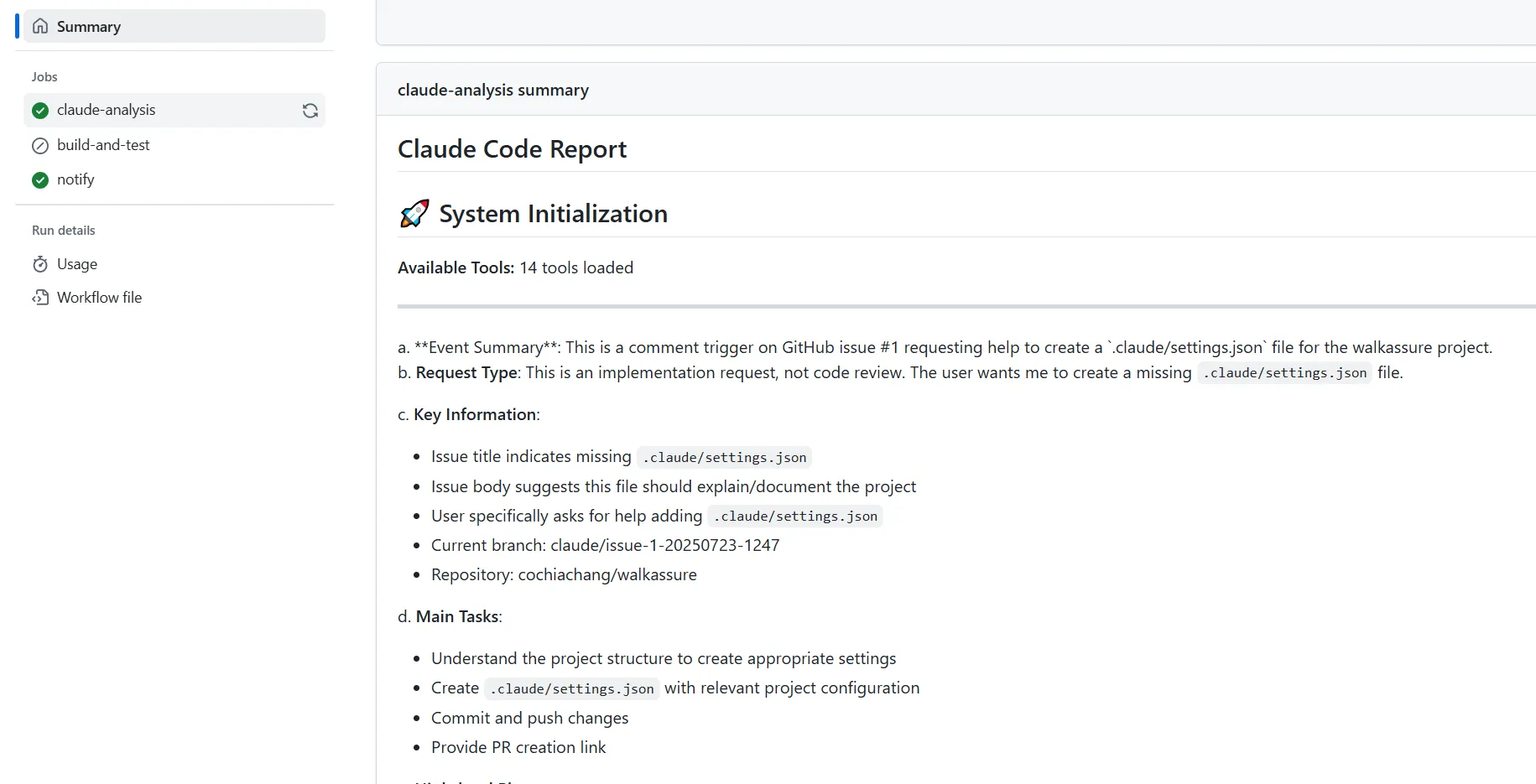
接著就可以看到 Claude 已經回應了一個修正:
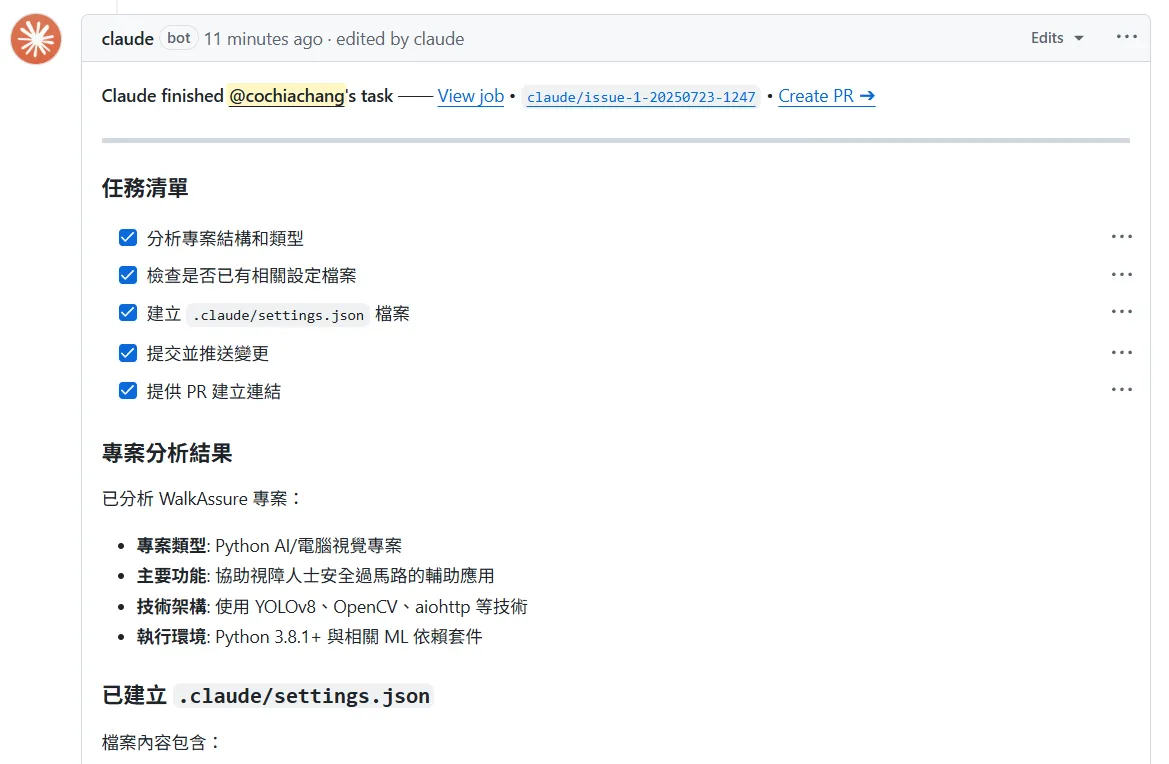
從留言到 Claude 自動分析程式碼並提出修正,整個流程完全不需要手動介入——這就是 Claude Code + GitHub Actions 最有價值的地方。
延伸閱讀
- Claude Code + GitHub Actions 自動修改 Issue 實戰教學:同樣聚焦 Claude Code、GitHub Actions,可接著比較不同情境的做法。
- Claude Code 自動修改 GitHub Issue:用 GitHub CLI 建立修復流程:同樣聚焦 Claude Code,可接著比較不同情境的做法。
- Claude Code 終端操作技巧與 SDK 應用:同樣聚焦 Claude Code,可接著比較不同情境的做法。
常見問題
Claude Code + GitHub Actions 的觸發方式是什麼?
在 Issue 或 PR 的內容或留言中包含 `@claude` 就會觸發 workflow。workflow 中的 `if` 條件會先檢查 `github.event.issue.body` 或 `github.event.comment.body` 是否含有 `@claude`,符合才會執行 Claude 分析。
需要在 GitHub 設定什麼才能讓 Claude 運作?
需要兩件事:一是透過 `/install-github-app` 安裝 Claude GitHub App 並授權你的 repository;二是在 repo 的 Secrets 中設定 `ANTHROPIC_API_KEY`,供 `anthropics/claude-code-action` 呼叫 API 使用。
Claude 會不會不遵守專案的程式風格?
Claude 會自動讀取專案根目錄的 `CLAUDE.md`,比照裡面定義的風格與工程規範來產生程式碼。把團隊慣例寫進 `CLAUDE.md`,Claude 提交的 PR 就會貼近既有標準。
一定要用 /install-github-app 嗎?
不一定。`/install-github-app` 是最快捷的部署方式,但你也可以手動建立 GitHub App、手動安裝 workflow 檔(如本文的 `claude.yml`)來完成設定,適合需要客製化觸發條件的場景。
參考資料
最後更新
2026-08-28(原文發布於 2025-07-23,本文保留原始筆記內容並補上 GEO 結構。)
關於作者 {#author}
Claire Chang | 企業 AI 導入與流程轉型顧問。專注於 AI Agent 架構設計、ERP 系統整合與企業 AI 治理。
首次發布:2025-07-23