
LlamaIndex 是用來建立上下文增強 LLM 應用程式的資料框架。LlamaIndex 可以把 PDF、文字檔、網頁內容等非結構化資料轉成索引,讓大型語言模型在回答問題前先檢索自己的資料,這也是檢索增強生成(Retrieval-Augmented Generation,RAG)的常見做法。
LlamaIndex 主要解決什麼問題?
LlamaIndex 主要解決 LLM 不能直接理解私有資料庫與文件集合的問題。LlamaIndex 會把外部資料切塊、索引與檢索,再把相關內容交給 LLM 回答。
LlamaIndex 專注於將非結構化資料,例如文字文件、PDF、網頁內容,轉換為可以查詢與分析的結構化索引。使用者可以把自己的資料放進索引流程,再讓 LLM 根據檢索結果回答。
LlamaIndex 常見功能包含:
| 功能 | 說明 |
|---|---|
| 資料索引與向量化 | 將文件轉成 LLM 更容易檢索的向量表示。 |
| 資料檢索 | 根據使用者問題快速找出相關資料片段。 |
| LLM 整合 | 將檢索到的內容交給 OpenAI 等模型產生回答。 |
如何安裝 LlamaIndex 並設定 OpenAI API?
LlamaIndex 的基本範例可以用 `llama-index` 與 `python-dotenv` 開始。使用 OpenAI 模型時,需要先在專案環境變數設定 `OPENAI_API_KEY`。
先安裝套件:
```bash
pip install llama-index
pip install python-dotenv
```
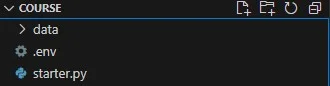
接著下載測試資料,放進專案的 `data` 資料夾。原文使用 LlamaIndex 官方範例中的 Paul Graham essay 作為資料來源。
在專案根目錄新增 `.env`:
```bash
OPENAI_API_KEY=xxxxxxxxxxxxxxxxxxxxxxx
```
`.env` 檔案不應提交到 Git。實際專案通常會把 API key 放在部署平台的環境變數管理介面。
starter.py 如何建立與讀取索引?
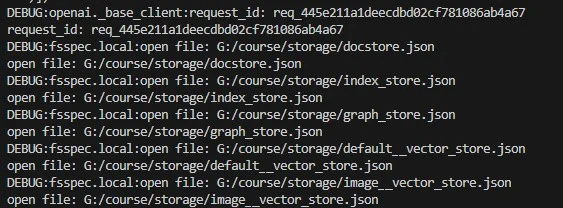
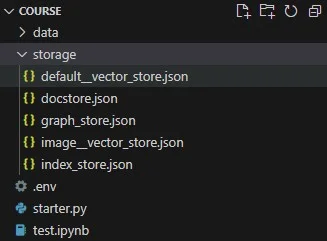
starter.py 的重點是第一次執行時建立索引,之後執行時直接讀取 `./storage`。這樣可以避免每次查詢都重新做文件載入與索引。
以下程式會載入 `data` 資料夾,建立 `VectorStoreIndex`,並把索引持久化到 `./storage`:
```python
from llama_index.core import VectorStoreIndex, SimpleDirectoryReader
import logging
import sys
import os.path
from llama_index.core import (
VectorStoreIndex,
SimpleDirectoryReader,
StorageContext,
load_index_from_storage,
)
from dotenv import load_dotenv
load_dotenv()
logging.basicConfig(stream=sys.stdout, level=logging.DEBUG)
logging.getLogger().addHandler(logging.StreamHandler(stream=sys.stdout))
PERSIST_DIR = "./storage"
if not os.path.exists(PERSIST_DIR):
documents = SimpleDirectoryReader("data").load_data()
index = VectorStoreIndex.from_documents(documents)
index.storage_context.persist(persist_dir=PERSIST_DIR)
else:
storage_context = StorageContext.from_defaults(persist_dir=PERSIST_DIR)
index = load_index_from_storage(storage_context)
query_engine = index.as_query_engine()
response = query_engine.query("What did the author do growing up?")
print(response)
```
執行時為什麼會呼叫 OpenAI embeddings API?
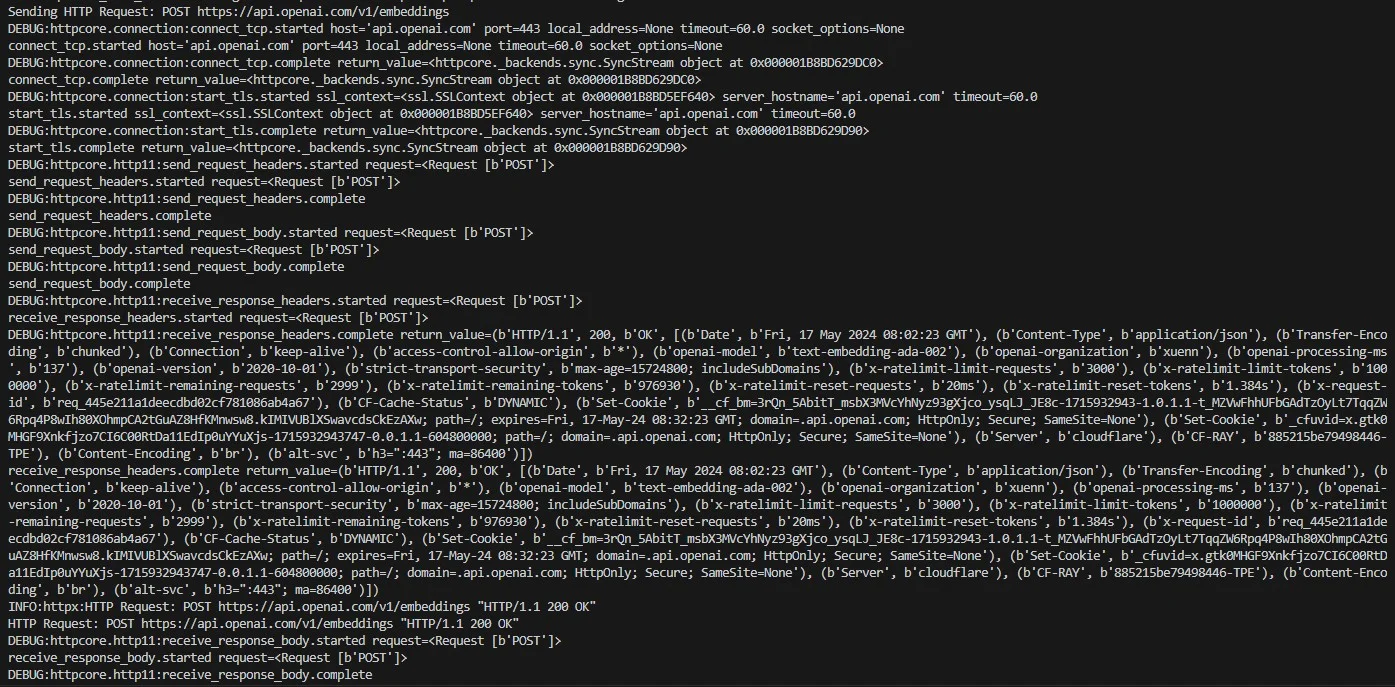
LlamaIndex 建立向量索引時會把文字轉成 embedding。使用 OpenAI 預設設定時,程式會向 `https://api.openai.com/v1/embeddings` 發送請求。
執行時看到 `connect_tcp.started`、`start_tls.complete`、`send_request_headers.complete` 等訊息,代表 HTTP client 正在建立連線、進行 TLS 握手、送出 request header 與 body。
當 log 出現:
```text
INFO:httpx:HTTP Request: POST https://api.openai.com/v1/embeddings "HTTP/1.1 200 OK"
```
代表 embedding 請求成功。索引建立完成後,專案會產生 `storage` 資料夾,用來保存詞嵌入與索引資料。
如何使用索引資料詢問問題?
LlamaIndex 查詢流程會先讀取索引,再建立 query engine。query engine 會把使用者問題與檢索內容送給 LLM,產生根據資料來源的回答。
如果索引已經存在,只需要載入 `./storage`:
```python
storage_context = StorageContext.from_defaults(persist_dir=PERSIST_DIR)
index = load_index_from_storage(storage_context)
query_engine = index.as_query_engine()
response = query_engine.query("What did the author do growing up?")
print(response)
```
原文範例得到的回應是:作者小時候寫短篇故事與程式,從 9 年級使用 IBM 1401 和早期 Fortran 開始,後來轉向 TRS-80 微電腦,寫遊戲、火箭預測程式與文字處理器。
RAG 流程包含哪些階段?
RAG 流程通常包含載入、切塊、索引、檢索與生成。LlamaIndex 把這些步驟包成可組合的資料管線,讓 LLM 能使用私有資料回答問題。
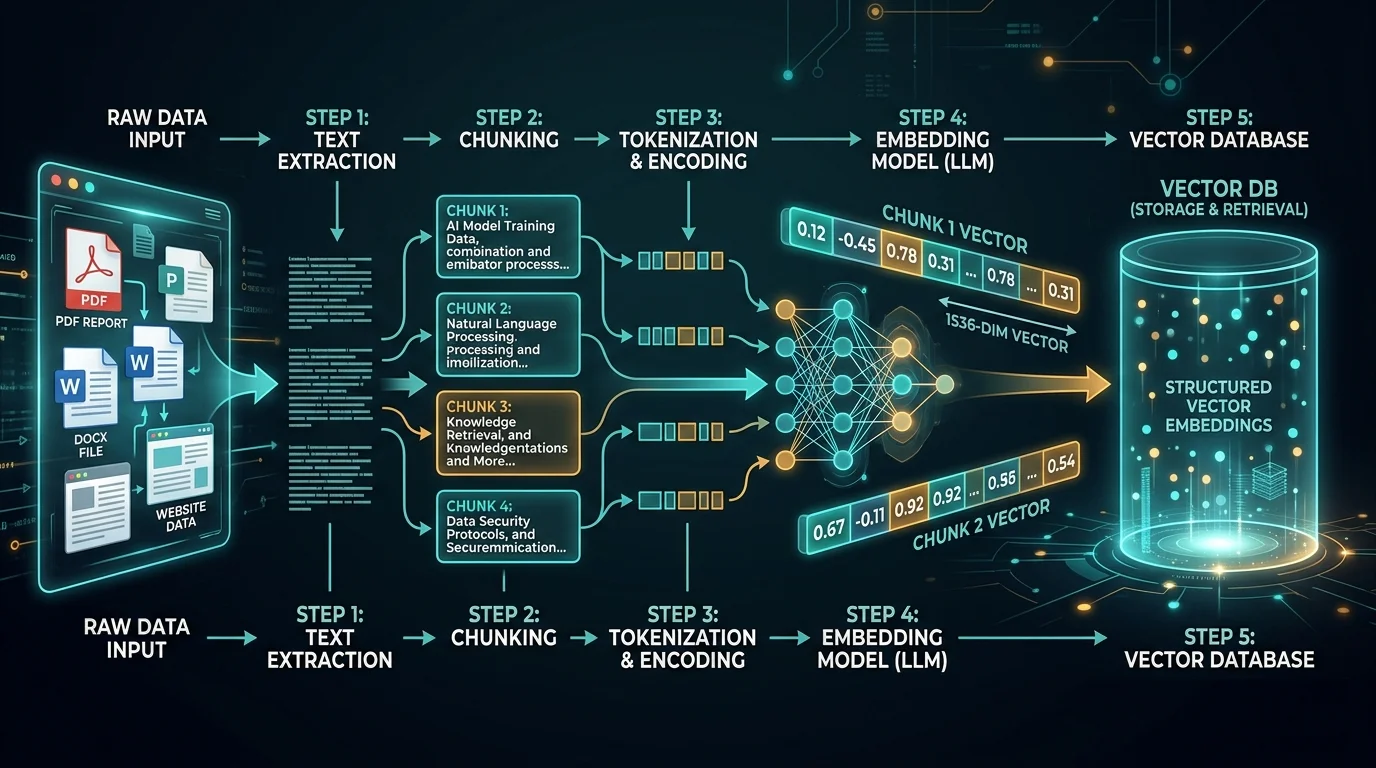
LlamaIndex 中的 RAG 流程可以拆成五個階段:
| 階段 | 說明 |
|---|---|
| 載入 | 從文件、資料庫、API 或網頁讀取資料。 |
| 切塊 | 將文件拆成節點,Node 是 LlamaIndex 中資料的原子單位。 |
| 索引 | 將節點轉成可檢索的結構,例如向量索引。 |
| 檢索 | 根據使用者問題找出最相關的節點。 |
| 生成 | 把檢索內容與問題交給 LLM 產生回答。 |

常見問題
LlamaIndex 和 LangChain 有什麼不同?
LlamaIndex 更偏向資料索引、檢索與 RAG 資料管線。LangChain 則更偏向鏈式流程、工具調用與 Agent 編排;兩者可以一起使用。
LlamaIndex 一定要使用 OpenAI 嗎?
LlamaIndex 不一定要使用 OpenAI。原文範例使用 OpenAI API,但實際專案可以改用其他 embedding model、LLM 或向量資料庫。
LlamaIndex 的 storage 資料夾可以刪掉嗎?
`storage` 資料夾可以刪掉,但刪掉後下次執行需要重新載入文件並建立索引。如果資料量大,重新索引會增加時間與 API 成本。
RAG 可以避免 LLM 幻覺嗎?
RAG 可以降低 LLM 幻覺,但不能完全避免。檢索內容品質、切塊策略、提示詞與模型本身都會影響回答是否正確。
什麼資料適合放進 LlamaIndex?
產品文件、內部 SOP、PDF 報告、知識庫文章與常見問題都適合放進 LlamaIndex。資料需要有明確文字內容,檢索效果才會穩定。
參考資料
- LlamaIndex, Starter Example, https://docs.llamaindex.ai/en/latest/getting_started/starter_example/,存取日期:2026-08-27。
- LlamaIndex, Installation, https://docs.llamaindex.ai/en/latest/getting_started/installation/,存取日期:2026-08-27。
最後更新
Fri May 17 2024 08:00:00 GMT+0800 (Taiwan Standard Time)
延伸閱讀
關於作者 {#author}
Claire Chang | 企業 AI 導入與流程轉型顧問。專注於 AI Agent 架構設計、ERP 系統整合與企業 AI 治理。
首次發布:2024-05-17